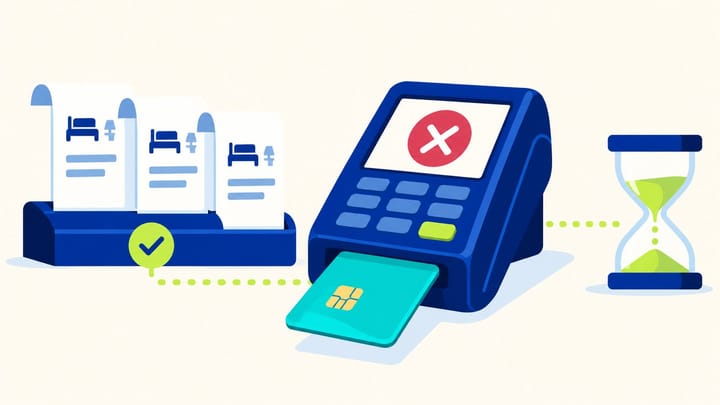
1. Find a booking's UPC through its reservation; find a UPC on ePass through the Finance payout workflow.
2. Confirm the payment method, permitted charge date, amount, currency, and expiry before collecting.
3. UPC on ePass requires one full collection within 24 hours of issuance. Do not apply that rule to every Agoda card.
An Agoda virtual card lets your hotel collect eligible booking payments through its card-processing setup. To collect successfully, you need the right card, the correct payment window, and the current amount owed to the property.
Start in Agoda Partner Portal, formerly YCS. Check whether your property uses a UPC for an individual booking or UPC on ePass for a payout covering several bookings. Then follow the matching viewing and charging process below.
What Is an Agoda Virtual Card?
Agoda calls its virtual payment card a Unique Payment Card, or UPC. It supplies card details for the hotel to process a booking payment. This is different from collecting a separately payable charge from the guest's personal card.
Agoda Virtual Card vs. e-Card: What's the Difference?
A standard UPC is attached to an individual booking. UPC on ePass groups eligible booking payments into a payout with a single-use virtual card. Keep the booking reference for the first method and the payout's booking breakdown for the second.
Agoda e-Card is a physical card used for eligible payouts. Its activation, funding, and partial-collection procedures should not be substituted for UPC instructions. The steps here focus on virtual-card collection.
Where to Find Your Agoda Virtual Card Details
Menu labels may vary by property and account configuration. Select the correct property before accessing financial information.
For an Individual Booking's UPC
Use the reservation route:
- Open Bookings > Reservations in Partner Portal.
- Find the booking using its Agoda booking ID.
- Confirm the guest, property, and stay dates, then select Get payout (UPC).
- Compare the displayed payment information with the latest booking confirmation before processing it.
If details are unavailable, check whether the eligible funds have loaded. Also ask the property's administrator to confirm your card-viewing permission. Access to reservations does not automatically mean access to full payment details.
For UPC on ePass
Open Finance > Payouts. Review the eligible bookings and adjustments, select the intended bookings, and choose Get payout. After reviewing the payout details, choose Get card number. Keep the payout ID and the included booking list with your reconciliation records.
Check the total against the terminal's single-transaction limit before creating the payout. Choose a manageable booking selection rather than planning to split one single-use card across several charges. Once a payout is submitted, do not assume it can be cancelled and rebuilt.
Use an authorized account with Card Info Viewer access. Keep card numbers and security codes inside the approved payment workflow; routine notes need only booking or payout references and masked identifiers.
When Can You Charge an Agoda Virtual Card?
Standard UPC: Follow the Booking's Payment Terms
Check the permitted charge date on the booking and your property's agreement. Standard UPC payment terms can allow collection on departure or one day after check-in. Do not use the guest's booking date as the activation date.
If details and dates are inconsistent, ask Agoda to confirm eligibility before charging. Record the card's displayed expiry and the booking's claim deadline. They are separate checks; one should not be inferred from the other.
UPC on ePass: Charge Within 24 Hours of Issuance
Once issued, collect the full payout in one transaction within 24 hours. Prepare your terminal and staff before requesting the card. A card generated near a shift change needs a named person responsible for collection.
For an expired, unpaid card, check the payout's reissue option. Agoda's payment guidance specifies a 72-hour wait after expiry before reissue becomes available. A partly charged card needs the partial-payment support process, not an automatic reissue attempt.
Keep a Separate Earnings Deadline
Agoda describes a 150-day earnings-claim window after checkout. That does not extend a UPC on ePass card's 24-hour validity. Put unresolved bookings on a follow-up list well before either applicable deadline and confirm account-specific exceptions with Agoda.
Assign an owner and collection date to every unpaid stay. Escalate missing payment details before the deadline.
How to Charge an Agoda Virtual Card
Use your hotel's approved credit-card processing setup. A virtual card is processed using its supplied details; the guest does not need to present a physical card for that payout. Confirm the supported transaction route with your payment provider.
Complete the following sequence for each booking or payout:
- Identify the method. Establish whether this is a standard UPC or a single-use UPC on ePass, and match its booking or payout reference.
- Check eligibility. Confirm the charging window, expiry, card status, and absence of a successful or pending duplicate payment.
- Verify the amount and currency. Use the current booking payment details or approved payout total, including relevant amendments and adjustments.
- Process the payment. Enter the current card details in the supported terminal workflow. For UPC on ePass, collect the entire approved amount once.
- Confirm the result. Check the processor's completed transaction record; a timeout, authorization, or Portal status alone does not establish collection.
- Record the evidence. Retain the transaction reference, amount, currency, date, and booking or payout allocation in the hotel's payment records.
For example, EUR 180 and EUR 220 of booking earnings, less a EUR 25 adjustment, leave EUR 375 to collect. Retain the adjustment's source.
Do not add minibar, parking, a deposit, or a terminal surcharge to the approved amount. Establish which charges are covered by Agoda and which the guest owes separately. An incorrectly enlarged amount can cause a decline or an overcollection.
Before repeating an uncertain attempt, search the processor history. If another shift already collected it, update the hotel record. If an authorization is pending, resolve it through the provider's instructions before starting a second transaction.
Agoda Virtual Card Declined? What to Check
Amount or Card Details Do Not Match
Compare the attempted amount with the latest approved amount, then check the card number, expiry, security code, and currency in the secure payment workflow. A shortened or cancelled booking may have different payment instructions from its original confirmation.
Correct the identified discrepancy before retrying. Do not keep lowering the amount until a payment succeeds. For a timeout or unclear result, check the actual processor transaction first.
The Card Is Unavailable, Expired, or Blocked
Recheck the permitted charging date and card validity. If the standard UPC shows Security Violation after repeated failures, stop; Agoda specifies a one-hour wait before another attempt. Use that interval to identify the error.
For an expired UPC on ePass, check unpaid status and reissue eligibility. For a blocked card or missing payout details, contact Agoda with the booking or payout ID, attempted amount, time, and exact error. Avoid applying a physical e-Card's funding delay to a virtual-card problem.
The Terminal Rejects the Transaction
Ask the payment provider to confirm card acceptance, the hotel's lodging merchant setup, and the supported processing route. Agoda's card collection flow does not support 3-D Secure transactions. Have the provider resolve a compatibility problem without disabling account-wide protections.
Mention any terminal or merchant-account change to the provider. Share the decline reference, and never invent authentication information to force approval.
Only Part of the Amount Was Collected
Identify the payment method before acting. Standard UPC and UPC on ePass have different recovery procedures, so "charge the remainder" is not a universal instruction.
For UPC on ePass, a partial collection needs Agoda's top-up process. Check the transaction and payout status, then use the payment inquiry route with the payout ID. Do not assume the same single-use card can simply be charged again or that reversing an authorization immediately restores funds.
How to Reconcile Agoda Virtual Card Payments
Match each successful standard UPC transaction to its booking ID. For UPC on ePass, match the transaction to the payout ID, then allocate the payout using its included bookings and adjustments. A batch receipt cannot replace that breakdown.
Compare Agoda's payable amount, successful collection, and bank settlement. Record processor fees and timing differences separately from room revenue.
Check a modified or cancelled booking against its latest confirmation and payment position. If money was already collected before the change, retain both the original transaction and the confirmed correction. Do not delete the earlier payment or refund the guest twice through different routes.
Use hotel reporting and analysis to review hotel-side reservation and revenue figures alongside payment evidence. Keep unpaid exceptions assigned with a next action, particularly where an expiry or claim deadline is close.
Collection is harder to track when reception has the booking while finance has an unlinked payout reference. Smart Order brings Agoda reservations into the front desk reservation workspace and connects hotel payment records with the stay. Staff can retain external transaction references and review the verified balance without treating a Portal payout approval as proof of bank receipt.
Keep Virtual-Card Collections Connected to Reservations
Give front desk and finance a shared booking record with clear payment references, verified collections, and outstanding follow-up.
Frequently Asked Questions
Are there fees for charging an Agoda virtual card?
The property bears transaction fees for standard UPC collection. Confirm the charges with your payment provider and agreement; do not assume a universal percentage or add fees to the card's approved amount.
Can I make a partial charge?
Check the method first. Standard UPC has a partial-collection procedure, while UPC on ePass requires one full charge and a top-up request after a partial collection. Confirm existing transaction results before taking further payment.
What should I do with an expired virtual card?
For an unpaid UPC on ePass, review reissue eligibility after the waiting period. For other expired-card or earnings-deadline problems, contact Agoda promptly with the booking or payout reference.
How should cancellations and refunds be handled?
Use the latest confirmed payable amount and approved correction process for that payment method. Keep the original collection and refund or adjustment references. Do not copy physical e-Card procedures or send a separate guest refund without checking who collected the payment.
