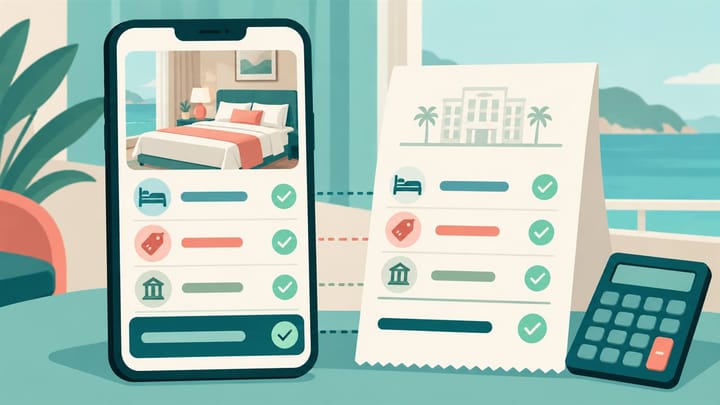
1. Separate hotel taxes and guest charges from Booking.com's commission charged to the property.
2. Check how each charge is calculated, whether it is already included, and who collects it.
3. Compare the final booking breakdown with the guest bill before asking for another payment.
A guest says their Booking.com stay is prepaid, but reception sees a tax still due. Another guest disputes a cleaning fee that appears twice. Both cases need a price audit before a collection decision.
This Booking.com fees review concerns the accommodation charges the guest sees and owes. It is not a guide to the hotel's commission percentage. The aim is to reconcile settings, the final booking breakdown, and the hotel bill without charging an amount twice.
Fix the Booking Basis Before Comparing Amounts
Choose one reservation or repeatable guest search. Keep the property, room type and count, rate plan, dates, occupancy, children's ages where applicable, currency, and selected extras the same.
For an existing booking, retain its confirmation and current amendment history. Today's Extranet settings may differ from those applying when it was booked. A new search is useful for testing current sales, not proof that an older guest accepted today's terms.
Inspect the property's relevant fee and tax settings in the Booking.com Extranet. Available controls vary, so review the actual charge definition rather than assuming every account has the same editable tax fields.
For each applicable item, establish its amount or percentage, calculation basis, included-or-additional treatment, scope, effective dates, and collection responsibility. Confirm local requirements with the employee or adviser responsible for tax compliance. A setting that can be edited is not proof a charge is legally permitted.
Rebuild the Guest's Total With a Booking.com Fees Example
Consider a hypothetical two-night, one-room booking for two adults. The room amount is USD 200, a mandatory cleaning fee is USD 20 per stay, and an additional local charge is USD 3 per eligible adult per night. Assume both adults are liable and there are no other amounts.
The cleaning fee is USD 20, not USD 40. The local charge is USD 3 x 2 adults x 2 nights = USD 12. The guest's full obligation is USD 200 + USD 20 + USD 12 = USD 232.
These amounts and eligibility assumptions illustrate the calculation; they are not actual tax rates or rules for any destination.
Included in the Price Is Different From Collected Online
Suppose the booking's payment instructions confirm USD 220 collected online and USD 12 payable at the property. The total obligation remains USD 232. A prepaid room amount does not, by itself, prove every local amount was collected.
Now consider a confirmation where the same USD 232 total already includes that USD 12 and it has all been collected. Adding another USD 12 at reception would be a duplicate collection. Read both the charge breakdown and the actual payment instruction.
Do not infer collection from the word “included” alone. Price presentation, charge calculation, payment collection, and the hotel's net payout are different questions.
When reception cannot explain a remaining balance, first compare the booking breakdown with the front desk guest bill. Smart Order keeps the reservation and recorded charges and payments in the same operating context. Use that record to identify the specific amount still due rather than replacing the guest's total with a net OTA remittance.
Explain the Balance Before Asking the Guest to Pay
Review the reservation's recorded charges and payments together so staff can identify a genuine remaining amount instead of collecting an included charge again.
Find the Setting That Explains the Difference
A Per-Stay Fee Was Multiplied by Nights
Check whether the charge applies once per stay, per night, per person, or per person per night. A USD 20 cleaning fee entered with the wrong basis changes the result even when the displayed unit amount looks correct.
Where a charge applies per calendar day, check the applicable day count rather than automatically using occupied nights. Correct the actual definition through the authorized setup process. Do not use a lower unit amount to disguise a wrong multiplier.
A Tax or Fee Was Added Twice
Check whether it is embedded in the room amount, listed as an additional booking charge, or manually added in the PMS, or Property Management System. Identify the matching item rather than simply comparing two grand totals.
Keep the configured meaning separate from the guest-facing booking breakdown. Similar “included” labels in different systems do not always refer to the same subtotal. Compare the amount and its role in the final price.
The Charge Applies to the Wrong Guests or Rooms
Check eligibility, age bands, exemptions, room scope, and applicable dates where the local rule and setup require them. Do not assume every tax applies to every child, every room, or every night.
Also check whether a room-specific setting differs from the property default. A correct setting on one room is not a successful test for another room's offer.
A Refundable Deposit Was Treated as a Stay Fee
Separate a refundable security deposit from accommodation revenue or a mandatory non-refundable fee. Confirm whether money was actually collected, only authorized, later returned, or applied against a supported charge.
Do not add a refundable deposit to room revenue simply to match a payment total. Its handling follows the agreed terms and the hotel's accounting process.
The Guest Is Asked for Money Already Collected
Inspect the booking's payment instructions and the recorded hotel payments. Determine which items Booking.com collected and which the hotel is instructed to collect.
Do not use a lower hotel payout as proof the guest owes the difference. Commission, provider fees, or settlement adjustments are not automatically unpaid guest taxes.
Correct Current Sales Without Rewriting Confirmed Terms
Document the wrong setting and affected scope before changing it. Identify any connected system that controls the value so a later update does not restore the error.
- Obtain approval for the correct amount, basis, tax treatment, and applicable dates.
- Change the specific setting through its supported route, without clearing unrelated charges.
- Reopen the saved settings and repeat the guest search for the same room, dates, and occupancy.
- Inspect the final booking-stage breakdown, not just a headline search price.
- Check the resulting reservation and hotel bill through an authorized test or a suitable genuine booking.
Where relevant, repeat with a different stay length or guest composition to test the multiplier or eligibility. Check the market and currency used in the original case; price presentation can differ by booker's market.
Treat existing reservations separately. If an earlier confirmation and today's setup disagree, establish the applicable terms and correction process before contacting or charging the guest. Do not silently impose a new fee or promise a refund before responsibility is clear.
Keep a Price Audit Record the Next Shift Can Use
Save the tested stay, old and corrected setting, final price breakdown, collector for each amount, test time, and approving employee. Retain only necessary guest data.
Use hotel reporting and exports to identify other affected reservations, then review them individually. A discrepancy in one booking does not establish that every booking in the month is wrong.
Close the task when the current offer calculates correctly and each identified guest case has a supported resolution or assigned follow-up. Finance can then review commission and tax records separately without turning a payout difference into an unexplained extra guest charge.
