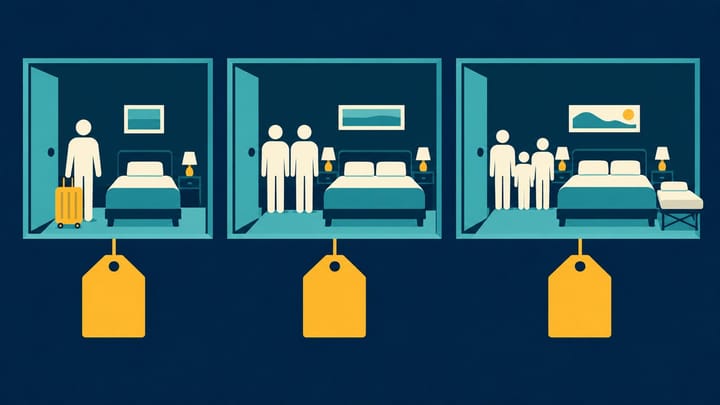
1. A single-occupancy price means one guest in a room, not necessarily a separate single-room product.
2. Confirm whether Expedia receives prices by guest count or a base room price with additional-person rules.
3. Test the accepted guest combinations on the same room and offer before extending a change to more dates.
Your double room may sell correctly for two adults but show an unexpected price for one adult or a third guest. Changing the headline room rate will not necessarily fix that difference.
Expedia Partner Central occupancy pricing starts with a clearer question: which room price and additional-person rules produce the offer for this particular guest party? Answer that before linking prices from your Property Management System (PMS) or channel manager.
Establish Which Pricing Model the Room Uses
Expedia supports different pricing models. Your property's connected setup determines which values you maintain; do not assume every hotel sends a separate price for every guest count.
With occupancy-based pricing, prices are supplied by occupancy. With per-day pricing, the room rate covers a defined base occupancy, with applicable additional-person charges handled through the configured rules. Ask your distribution contact to confirm the model and the additional-person treatment if the fields do not make that clear. Do not change models merely to make two screens look alike.
For the specific room and rate plan, establish:
- The base occupancy, where applicable, and the permitted adult, child, and total guest limits.
- Which single, double, or higher-occupancy amounts your connection actually sends.
- Where extra-adult and child charges are maintained, including any child-pricing arrangement.
- Whether transmitted rates are selling amounts or amounts excluding Expedia's compensation.
These are different from the physical bed configuration. A room with a double bed may accept one or two adults. A third-person charge does not authorize a third guest if the room's capacity does not allow one.
Define the Expected Price Before Entering Values
Consider a hypothetical room-only offer: one adult should pay USD 110, two adults USD 125, and three adults USD 150, before any separately applicable taxes or fees. Assume the room legally accommodates three adults and the approved bedding arrangement is available.
Those are intended guest totals, not instructions to enter all three values in every Expedia setup. Your configuration might use occupancy prices, or a base price and an additional-person rule. Check which route creates the intended result. If a USD 25 third-person charge is already accounted for in the resulting USD 150 price, adding another USD 25 would produce USD 175 by mistake.
The same discipline applies to reductions. If a connected single price already contains a USD 15 reduction, do not apply that reduction a second time through another rule.
A centralized hotel channel manager is useful when one- and two-guest prices otherwise get maintained in different places. In Smart Order, manage connected room rates and availability together, then inspect the received OTA reservation to see which room, guest count, and amount were actually booked. A successful update still needs a finished-price check.
Keep Guest-Count Pricing Tied to the Right Room
Manage connected rates and reservations in one workflow, then check the booked room and amount instead of relying on a calendar price alone.
Match the PMS Rate to the Exact Expedia Offer
“Mapping” simply means linking the room and rate in one system to their matching room and offer in another. Start with the same room type, then the same meal and cancellation conditions. Only then compare guest-count pricing.
- Select the property, room type, and Expedia rate plan you intend to change. Retain their identifiers as well as their names.
- Open the corresponding room and rate in the PMS or channel manager. Check that one-guest and two-guest values belong to this offer, not a similarly named package.
- Confirm the supported pricing model and which system controls each price. Keep extra-person fees and policy settings separate from ordinary nightly updates where required.
- Compare the intended amounts in the same currency and on the same selling-versus-net basis. A net amount is not a discounted guest price to copy into a selling-price field.
- Save one controlled date range, then reopen the Expedia record to inspect the result. Do not send a whole season before proving the setup.
Test Single, Double, and Additional-Guest Searches
Use the same dates, room, rate plan, currency, and booking conditions. Keep membership and promotional eligibility consistent. Compare the full breakdown rather than the lowest price shown on the search page.
Run a one-adult search first, then two adults. If both prices are identical, that may be intentional. Treat it as a problem only if it differs from the approved pricing. Check for a missing single amount, an intentional flat price, or a reduction applied in the wrong place.
Next, search three adults only if the room permits them. If the room disappears, inspect its adult and total capacity before raising inventory. If it appears but costs too much, identify whether the difference comes from the additional guest, bedding, meals, taxes, or a different offer.
For children, enter the actual ages. Do not use a three-adult search as a substitute for two adults and a child. Where child pricing is enabled, review the relevant child rules rather than forcing an adult supplement to imitate them.
Breakfast needs its own check. A room price for three guests does not establish that three breakfasts are included. Read the selected offer and charge breakdown together.
Where a reservation test is necessary, use an approved test process or an authorized booking with understood payment and cancellation terms. In the PMS reservation record, compare the Expedia confirmation with the received guest count, room, plan, dates, and amounts. Do not create an unapproved chargeable booking just to test a price.
Correct the Price Layer That Failed
One guest receives the wrong amount: inspect the occupancy price or configured single adjustment for that offer. Do not lower the two-person rate to compensate.
The extra guest appears to be charged twice: trace the final breakdown back to the supplied occupancy amount, additional-person rule, and any bedding charge. Remove only the unintended duplication; an extra-person fee and a separately disclosed optional bed charge are not automatically the same item.
Partner Central looks right but the public offer differs: repeat the search with identical guests and conditions, then check promotions and the saved update. Do not keep alternating changes between two rate sources.
The guest offer is right but the PMS amount looks lower: compare payment model and selling-versus-net treatment before changing rates. A supplier amount and a traveler total can serve different purposes.
Keep the change limited to the affected room and offer until the one-guest, two-guest, and accepted additional-guest results match your approved prices. Leave unrelated rooms selling. Review existing reservations separately; correcting today's setup does not rewrite a guest's confirmed price.
