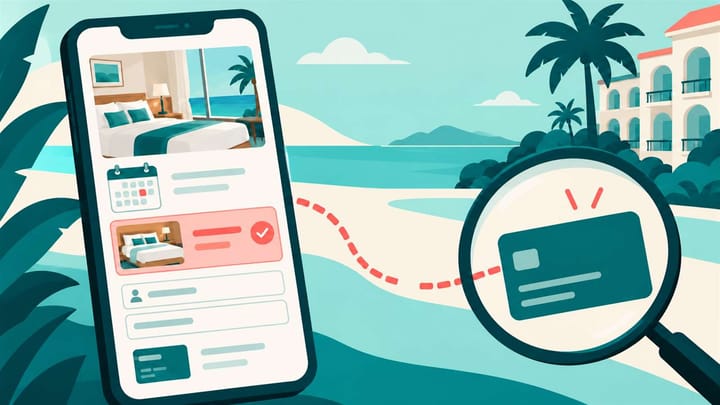
1. Separate unavailable searches, room-selection losses, form problems, and exits at the final review.
2. Check that measurement follows the guest into the booking engine before calling a missing event a lost reservation.
3. Fix one verified obstacle and compare equivalent booking journeys, not just the overall website conversion rate.
Guests who leave a hotel booking engine have not all rejected the same thing. One finds no suitable room. Another cannot enter a phone number. A third reaches the total and discovers a payment condition they did not expect.
The owner's job is to identify which obstacle actually exists. Lowering every rate will not fix a form that fails on a phone, and a redesigned homepage will not restore availability that was accidentally closed.
This review covers the journey before payment. A guest who has started payment and encounters a decline needs a payment investigation, not an abandonment label.
Confirm That the Booking Journey Is Being Measured
Ask whoever manages the website and booking engine for a simple journey report. It should distinguish date searches, searches returning a sellable option, room or rate selections, checkout starts, and arrival at the payment step.
Write down what each stage means. Clicking a booking button on the website is not the same as selecting a room. Reaching a payment page is not proof that a guest submitted payment details, paid, or confirmed a stay.
Measurement needs setup. If the booking engine opens on another website address, ask the supplier to verify that the handoff is counted consistently. Browser privacy choices and consent settings can also limit what is visible. Do not treat unmeasured visitors as proven abandonments.
Compare a sample of confirmed direct reservations with the recorded completion results. If real bookings exist but the report shows none, repair the measurement first. For a pay-at-property offer, a confirmed booking may legitimately have no online payment.
Do not send guest names, email addresses, card details, or payment credentials into general website analytics. The owner needs stage counts and a safe booking reference for authorized reconciliation, not the guest's private payment information.
Read Hotel Booking Engine Abandonment One Stage at a Time
Here is a hypothetical group of 240 tracked booking journeys over a completed review period. Each journey is counted once at each stage, with the stages nested in order:
- 240 searched dates.
- 180 received at least one sellable room offer.
- 72 selected a room and rate.
- 36 started the guest-details checkout.
- 24 reached the payment step.
These are journeys, not necessarily 240 different people. Repeated page loads and room searches must not inflate one stage while another counts unique visitors. Allow a consistent completion window so late-finishing journeys are not counted as exits prematurely.
The first gap is 60 searches with no sellable result. That is an availability question, not yet a verdict on checkout design. The gap from 180 returned offers to 72 selections is larger, but some visitors are simply comparing dates and prices.
The form-to-payment gap is 12 out of 36 checkout starts, or about 33.3%. It deserves attention if real users cannot complete a required field. It is not the hotel's overall abandonment rate, and this example is not an industry benchmark.
Compare mobile and desktop, traffic sources, and stay dates where there is enough activity. A small sample can suggest a test; it cannot establish a stable conversion problem.
Reconcile the Confirmed Outcome
The booking engine shows what guests could select; the hotel's operating records show what became a reservation. Keep those roles separate when interpreting a missing completion.
With a PMS-connected hotel booking engine, a completed direct booking enters the hotel's Property Management System. In Smart Order, current room availability and rates feed the direct offer, while the resulting reservation appears for reception. Use that connection to verify the end result instead of assuming every missing website confirmation means a lost guest.
Connect the Direct Offer With the Reservation It Creates
Keep website room availability, rates, and confirmed direct bookings connected so staff can verify the outcome of the guest's booking journey.
Match the Exit Point to a Check You Can Perform
Searches Return No Suitable Room
Repeat the actual dates and guest count. Look at room capacity, children's ages, minimum stays, closed rates, and rooms withheld from sale. A hotel with vacant rooms can still return no offer for a particular search.
Compare the public result with approved availability. If the hotel is genuinely full, an unavailable result is correct. If the setup is wrong, correct the specific restriction or room offering rather than opening inventory indiscriminately.
Where supported, offer alternative dates or suitable rooms. Do not advertise an alternative that cannot actually be booked.
Guests See Rooms but Do Not Select a Rate
Check whether guests can understand the offer without opening several screens. Bed setup, occupancy, breakfast, cancellation terms, and the stay total should be easy to compare.
Repeat the search used in the advertisement or room page. If the advertised offer cannot be found, fix that mismatch before concluding the price is too high. Remove confusing duplication only after confirming that the remaining rate choices still serve real guest needs.
Guests Start the Form but Do Not Reach Payment
Complete the form on an ordinary phone. Test international names and phone formats, date changes, error messages, and whether entered details disappear when going back.
Identify unnecessary required fields with the supplier, while retaining information the hotel genuinely needs for the booking or applicable rules. Do not remove required identity or payment safeguards simply to shorten checkout.
Check loading on a normal mobile connection. Ask for the precise screen, field, device, and test result to be fixed, rather than reporting that the whole booking engine is slow.
Guests Exit at the Total or Payment Handoff
Read the final review as a first-time guest. It should explain the charged currency, mandatory amounts, amount due now, any later balance, and cancellation conditions. A deposit should not suddenly look like an unexplained full prepayment.
Verify that the displayed online hotel payment options are actually available for the tested market and booking. If the guest submits payment but cannot finish authentication or receives a decline, record that separately for the payment team.
Validate One Fix With a Complete Booking Test
Use a defined test stay and the supplier's approved testing procedure. Do not generate repeated live charges or consume scarce rooms without an agreed plan.
- Reproduce the identified problem with the same dates, occupancy, offer, and device.
- Make one bounded change, such as correcting the phone field or clarifying the deposit wording.
- Repeat the journey through the affected stage and, where authorized, complete a test booking.
- Verify the confirmation and the resulting front desk reservation, including dates, room, rate, payment arrangement, and any required inventory adjustment.
Then compare equivalent journeys after the change. Keep traffic quality, device mix, date availability, and promotions in view. Do not claim a better button caused an improvement when a large new campaign changed the audience at the same time.
Do not contact every visitor who typed an email address. Any recovery message needs a permitted contact basis, an accurate booking status, and a clear way to decline further marketing. Never request card details by ordinary email.
The useful result is a specific finding: which stage lost qualified journeys, what obstacle was verified, what changed, and whether more guests completed that stage without creating booking or payment errors.
