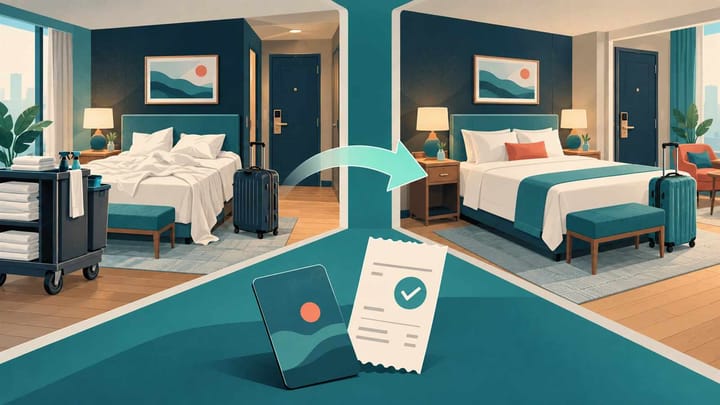
1. Move the remaining stay within the existing reservation; do not create a second booking just to change rooms.
2. Agree any price difference before saving, then check deposits, charges, and the balance.
3. Treat the old room as used until housekeeping verifies it, and close out old room access safely.
A guest leaves room 204 because the air conditioning fails. Room 306 is ready, so reception hands over a new key. Ten minutes later, housekeeping still expects the guest in 204, and another employee asks for a deposit that was already paid.
Hotel front desk software should help your team keep one stay together through that move. The operating task is broader than changing a room number: preserve the bill, update both rooms, and make sure everyone knows where the guest now stays.
What a Room Move Changes in Hotel Front Desk Software
A room move changes the assigned physical room for some or all of a stay. It does not automatically mean a new reservation, a new payment, or permission to change the agreed price. A same-category move and a paid upgrade need different financial decisions.
For an in-house guest, distinguish completed nights from remaining nights. If the guest already spent Monday in 204 and moves Tuesday, Monday should remain understandable in the stay history. Do not rewrite the whole stay as if the first room was never occupied.
Before arrival, a room reassignment may be simpler because the original room has not been used. Even then, check whether luggage, amenities, or a welcome message already went to that room. The reservation screen alone cannot confirm those details.
Give one desk employee responsibility for the move. That person checks the guest's destination, price decision, payment position, access, and housekeeping acknowledgment. Other teams can complete their own work without making competing changes to the booking.
Prepare the Destination and Agree the Price
Start from the existing reservation in your hotel reservation calendar. Confirm the guest, stay dates, current room, and room type. Check the proposed destination for every remaining night, not just tonight.
A room can be vacant now but allocated to tomorrow's arrival. It can also be clean but held for maintenance. Ask the authorized floor employee to confirm readiness and check for accessibility, bedding, connecting-room, or extra-bed requirements that matter to this guest.
Separate a Service Move From a Paid Upgrade
If a maintenance problem requires a complimentary move, record that the original rate remains unchanged. If the guest requests a paid upgrade, record the agreed nightly supplement, affected nights, taxes or fees where applicable, and the person approving it.
For example, a hypothetical $20 supplement for two remaining nights adds $40 before any applicable charges. It should not reprice the two nights already completed. Review the amount shown by the system before accepting the change.
Tell the guest what stays the same and what changes. A verbal promise of a free upgrade is not enough if the saved booking later shows a higher balance. Put the decision in the reservation note so the next employee can honor it.
A move becomes confusing when the calendar changes but the payment and room records are checked separately. Smart Order brings reservation adjustments, room status, and payment tracking into the front desk workflow. After updating the assignment, the team can review the same stay and confirm the remaining action instead of creating a replacement booking.
Keep One Stay Together Through a Room Move
Review the reservation, room assignment, and recorded payments together so reception can complete the move without losing the guest's original booking context.
Complete the Move Without Rebuilding the Booking
Use the supported room-move procedure in your PMS, or Property Management System. Menu names and rate prompts differ, so read the confirmation rather than assuming a calendar drag changes only the room.
- Open the existing stay and confirm the correct guest and booking reference.
- Select the destination and the date or remaining nights to move. Check for a later booking in that room.
- Review the room type, nightly price, inclusions, departure date, and any warning before saving.
- Apply the approved rate decision and save the move once. Avoid a second employee repeating it from another screen.
- Reopen the stay and calendar. Confirm the new room, remaining dates, and understandable history of the old assignment.
- Record the reason, approval, time, and outstanding tasks. Tell housekeeping which room was vacated and which is occupied.
If the move cannot be completed on screen, coordinate the guest's immediate needs with the duty manager. Keep both room assignments protected while staff follow the hotel's contingency procedure. Do not solve a blocked move by making a second paid reservation and canceling the original.
For bookings from an online travel agency, or OTA, a change of physical room within the promised category is different from changing the purchased room type. If the guest's booked terms change, follow the approved booking-change process too. Do not assume a PMS room move updates every promise in the channel confirmation.
Recheck the Bill Before Collecting Anything
Open the guest bill, sometimes called the folio, after the move. Compare the room charges, approved extras, deposits, collected payments, and outstanding balance with the pre-move position. A new room number does not make an existing payment disappear.
Suppose a guest paid a $150 deposit on a $450 stay. A complimentary room move should not by itself turn the remaining $300 into $450. If an approved upgrade adds $40, the expected balance becomes $340 before any other valid changes. These figures are an illustration, not a pricing rule.
A Deposit Appears to Be Missing
Check the original reservation and transaction reference before asking the guest to pay again. A deposit may appear in a different bill section, or staff may have opened the wrong guest record. If a charge needs reassignment, use the approved accounting procedure and preserve the original reference.
The Balance Increased Unexpectedly
Compare the affected nights and price plan. The move may have applied a new room-category price instead of retaining the agreed rate. Correct the charge with authorization; do not hide the difference by inventing a cash payment or unexplained discount.
Use hotel payment tracking to check what was actually collected against the reservation. A bank authorization, a completed charge, and an entry marked paid are not the same event. Finance should resolve an unclear transaction before reception makes a second collection attempt.
Return the Old Room to the Right Housekeeping Queue
An in-house move normally leaves a used room behind. Confirm that it enters the appropriate cleaning or inspection queue, even if the guest occupied it briefly. Check for belongings, food, used linen, and amenities before anyone releases it for another arrival.
If a fault caused the move, keep the maintenance restriction separate from cleanliness. Cleaning room 204 does not fix its air conditioning. Only the responsible employee should clear the restriction after the repair is confirmed.
The floor team can use a mobile hotel management app to review and update room information near the room. Reception should then reopen its own view and confirm the old room's condition and the new room's occupancy. A radio message is a useful handoff, not the final check.
Coordinate access as well. Complete the key exchange, confirm the guest can enter the destination, and remove old room access through the hotel's lock procedure. If luggage is still in the old room, arrange supervised retrieval rather than leaving both rooms freely accessible.
Before handing over the shift, check that the guest appears in the new room, the bill remains correct, and housekeeping has acknowledged the old room. Leave any repair, luggage, refund, or access task with a named owner. The move is complete when these records agree, not when a new key is printed.
Room-Move Questions From the Front Desk
Should we check the guest out and create another booking?
Not simply to change rooms. Use the supported move or split-stay process so booking references, history, and payments remain traceable. A genuine separate stay is a different situation.
Does a room upgrade always change the rate?
No. A service-recovery upgrade may retain the original rate, while a guest-requested upgrade may carry an agreed supplement. Record the decision and check the saved charges.
Can we sell the old room immediately after the guest moves?
Only after belongings are cleared, required cleaning and inspection are complete, and any maintenance restriction is removed by the authorized person. Vacancy does not mean readiness.
What if the room move crosses midnight?
Check the PMS business date and the nights already charged. Record the actual move time and verify that completed nights, remaining nights, and the destination assignment are correct before closing the shift.
What should a manager review after a room move?
Review the reason and approval, old and new assignments, affected nights, rate decision, payment balance, access change, and old-room cleaning or maintenance outcome. Follow up on anything still open.
