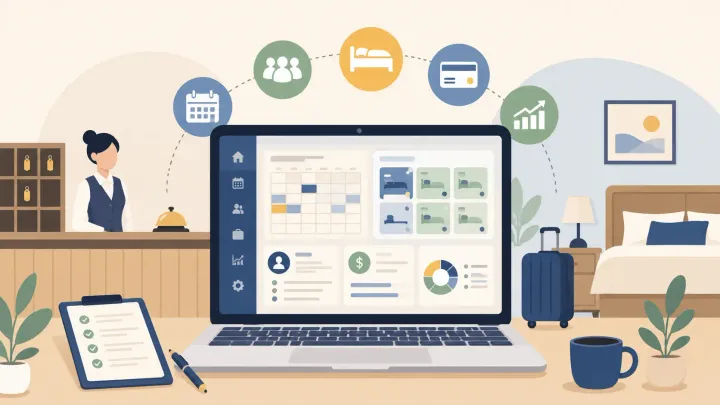
1. Choose hotel management software around your booking channels, payment process, and staff handoffs, not room count alone.
2. Test reservations, availability, room status, payments, and reports with realistic scenarios before committing.
3. Add direct booking and automation tools when they solve a specific operating problem.
4. Compare the full cost of the required setup, including plan limits, integrations, onboarding, and payment processing.
Running a 12-room guesthouse is different from managing a 200-room city hotel. Your team may need to take a booking, collect a deposit, check a room, and answer a guest within the same hour.
Hotel management software for small hotels should make those tasks easier to complete and hand over. You need the right functions working together, rather than the longest feature list.
The useful question is not simply whether a system has a calendar or channel manager. It is whether your staff can use those tools to complete the work your property actually does.
Why Small Hotels Have Different Software Needs
A small hotel often has one or two people covering reservations, guest enquiries, payments, and housekeeping coordination. When information sits in separate calendars or personal messages, the next person on shift may not know what changed.
Before comparing software, write down where that confusion happens. A property accepting mainly walk-ins has different priorities from one selling the same rooms through several online travel agencies (OTAs).
Use four questions to define your requirements:
- Where do reservations arrive: reception, phone, OTAs, or your website?
- Who changes rates and availability, and in which system?
- How are deposits, balances, and refunds recorded?
- What must reception, cleaners, and the owner see during a handoff?
These answers help separate must-have features from tools you can add later. Room count matters for pricing and workload, but it does not create a universal threshold at which every hotel needs the same system.
Essential Features and How to Test Them
Evaluate hotel management software for small hotels by asking what each feature changes in your working day. Use a demo or test environment for booking and payment checks; agree any live-channel test with the provider first.
Reservation and Front Desk Management
A clear room calendar should show arrivals, departures, room assignments, and changes without requiring a separate spreadsheet. Create a sample phone booking, extend the stay, and move it to another room. Check that dates, availability, charges, and guest details remain consistent after each change.
OTA Channel Sync
If several OTAs sell the same rooms, a hotel channel manager helps distribute supported rates and availability. Confirm your actual channels and room types, then test an agreed date and verify the result on the channel. Check how staff notice a failed update; connectivity reduces manual work and overbooking risk, but correct setup and exception checks still matter.
Housekeeping and Room Status
Room status matters when the person preparing a room is not the person assigning it. Mark a test room as needing cleaning, then ready, and check what reception sees. If staff use phones, test their actual devices and permissions rather than assuming the desktop demonstration covers mobile work.
Payments and Guest Balances
A reservation total is not proof that the guest has paid. Record a sample deposit, add an extra charge, and check the remaining balance from another staff account. For integrated payments, confirm supported countries, currencies, processing costs, and refund steps; distinguish guest payments from money awaiting an OTA payout.
Direct Booking Engine
If you want guests to book on your website, check how the direct booking engine works with the PMS, or Property Management System. Test room selection, policies, confirmation, and the resulting calendar entry. The booking should use the intended inventory rather than create another calendar for staff to reconcile; payment and marketing costs still apply even without OTA commission.
Reporting and Basic Analytics
You need occupancy, average daily rate, and channel revenue that you can trace back to bookings. Run a report for your test dates and check how a cancellation, date change, and payment appear. Confirm whether figures use stay dates, booking dates, or payment dates so you do not compare different measures by mistake.
Guest Communication
Message tools are useful when staff repeatedly send arrival details or overlook enquiries across channels. Test which channels reach the inbox, who can reply, and what triggers an automatic message. Change or cancel a test reservation and check that any scheduled communication still makes sense.
If a booking passes these checks in separate tools but staff still have to copy it between calendars, the workflow remains fragmented. Smart Order brings supported OTA and direct reservations into the same PMS calendar, with corresponding availability and reporting updates. Start with the reservation flow, then check the additional functions your property needs.
Test Your Small Hotel's Booking Workflow
Create a Smart Order account and start evaluating your reservation calendar with a free plan. Confirm the modules and connections needed for your setup.
Features You Can Add When the Need Is Clear
The goal is not to avoid advanced tools permanently. It is to know what problem each one would solve before paying for it.
Dynamic pricing may be useful if frequent rate decisions are difficult to manage, even at a small property. A loyalty programme may be less urgent if your first problem is keeping bookings and payments accurate. Multi-property reporting matters when you operate several locations, not simply because a vendor includes it in a demonstration.
Ask whether a feature can be added later and what changes when you upgrade. For integrations such as a separate pricing tool, confirm the subscription, setup work, and supported updates rather than assuming they are part of the core PMS.
Cloud Access, Support, and Setup Checks
Cloud-based hotel management software can help an owner review bookings away from reception and let staff work from different devices. Test the browsers and phones your team uses, along with staff roles and access controls.
Ask what happens during an internet outage and how the team can access essential arrival information. A cloud label alone does not explain offline arrangements, backups, or data export.
Separate opening an account from being ready to run the property. Room setup, future bookings, rates, payments, channel authorisation, testing, and staff training may all affect the launch schedule.
Request an onboarding plan with responsibilities for both sides. Also check support hours, language, contact methods, and what happens if a connection problem occurs during a busy arrival period.
How to Compare Pricing Without Overpaying
Compare the total cost for your room count and required workflow, not just the advertised starting price. Ask each provider to identify what is included and what is charged separately:
- Core subscription, minimum charges, and monthly or annual commitment
- OTA connections, booking engine, and other required modules
- Payment processing, transaction charges, and currency costs
- Data migration, setup, training, and ongoing support
- Cancellation terms, exports, and costs when moving to another system
A free plan can be a useful starting point, but check its limits against your requirements. Do not assume that free means no channel support, or that a free PMS account includes every integration and automation.
Smart Order offers a free plan, with additional plan and module choices. Use the current PMS pricing options and confirm a quote for your intended setup before relying on a particular inclusion or price.
If you compare two quotes, use the same room count, channels, payment assumptions, and contract period. Otherwise, the cheaper headline may simply cover less of the work.
A Practical Trial Checklist Before You Commit
Give the trial to the people who will use the software, not only the owner watching a sales demonstration. Use fictional guest details and approved test methods, then follow one stay through the system:
- Create a booking and check the room, dates, rate, and guest record.
- Change the stay and verify the calendar and supported channel updates.
- Record a deposit and check that another staff member can identify the balance.
- Update room status and complete the arrival and departure workflow.
- Review the resulting reports, export a sample, and raise a support question.
Keep notes on where staff needed help, repeated data entry, or could not verify a result. Ask the provider to resolve those points and retest before moving live reservations or switching channel control.
Choose the system that passes your essential checks at an acceptable total cost. Extra features are useful only when your team can put them to work.
Frequently Asked Questions
Do small hotels really need hotel management software?
It depends on your booking volume, channels, staff, and operating complexity. Repeated data entry, unclear guest balances, and conflicting calendars are stronger reasons to adopt software than a fixed number of rooms.
What is the minimum set of features a small hotel needs?
Start with reservations, availability, guest records, payment tracking, and basic reporting. Add channel management when selling shared inventory on OTAs, and prioritise room-status handoffs when reception and housekeeping need the same information.
Does a PMS replace a channel manager and booking engine?
Not automatically. The PMS manages the stay, the channel manager distributes supported room updates to OTAs, and the booking engine accepts website reservations. One platform may combine them, but check the modules and connections in your chosen plan.
Is free hotel management software worth using?
Yes, if its included functions fit your current needs or let you test the core workflow. Confirm any limits and the cost of the connections or tools you will need later; evaluate the complete setup rather than the free label alone.
How long does it take to switch systems?
The schedule depends on data preparation, room and rate setup, channel permissions, payment arrangements, and staff training. Agree the migration and testing steps before setting a launch date, especially when future reservations must be preserved.
Can the software reduce OTA commissions?
A booking engine can help you accept more direct reservations without the corresponding OTA commission. It does not change the commission on existing OTA bookings, and direct reservations still have software, payment, and acquisition costs to consider.
