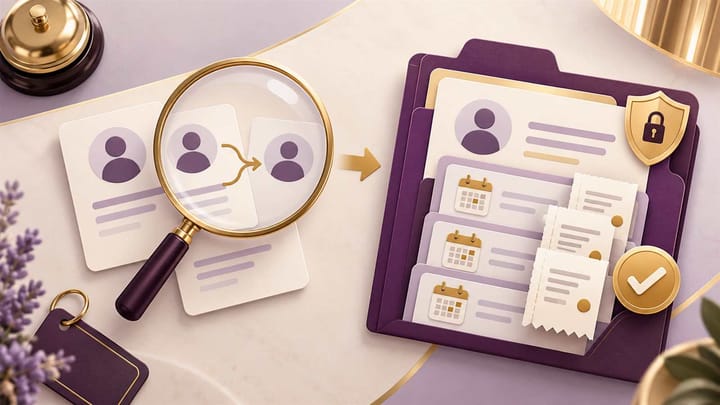
1. Two similar names are a reason to investigate, not proof that guest records belong together.
2. Merge guest profiles only after confirming identity and reviewing which details will remain.
3. Preserve each reservation, payment reference, and communication permission; never treat profile cleanup as booking cancellation.
A returning guest books through an OTA and appears as a new customer. Their earlier stays sit under another email address, and reception cannot find the preference recorded last year. Duplicate guest profiles in a hotel management system can hide useful history, but a rushed merge can cause a worse problem: attaching one person's details to someone else.
The safe workflow is to confirm the match, decide what to retain, use the approved profile procedure, and check the result. A clean guest list matters less than accurate records that your staff can trust.
Know What Your Hotel Management System Has Duplicated
A guest profile is a person's reusable record: contact details, preferences, and links to stays. A reservation records one booking. The booker, staying guest, and person paying can be three different people.
That distinction prevents an expensive mistake. Two profiles for one returning guest may need consolidation. Two reservations under that guest's name may both be valid, such as a family booking two rooms. Merging profiles must not become an excuse to cancel one stay or combine unrelated bills.
Online travel agencies, or OTAs, may provide a relay email rather than the guest's usual address. Direct bookings and phone reservations can bring different spellings or contact details into the same hotel. A changed phone number can create another apparent match without proving it.
In your hotel management system, start by opening the relevant stays and identifying each person's role. If one record belongs to a company booker and another to the traveler, keep that relationship clear instead of combining them merely because they share an email.
Prove the Match Before Selecting Merge
Use more than a similar name or one shared contact detail. Compare reliable information already available to authorized staff, then confirm uncertain details with the guest through an approved channel. Do not collect additional sensitive data simply to tidy the database.
A Shared Email Can Represent Different Guests
A couple may share an email, a company may use one booking address, and a tour organizer may manage many travelers. Ask who the details belong to and compare the actual staying names. Shared contact information alone is not a safe merge rule.
Different Spellings Can Still Be the Same Person
A shortened first name, changed surname, or different name order can explain a mismatch. Match it with confirmed contact details and stay context. If the records contain conflicting identity information, leave them separate for manager review rather than choosing whichever looks more complete.
For example, "Alex Chen" with a company phone number is not enough to join a record for "Alexander Chen." A confirmed personal contact and the guest's verified account of the earlier stay provide stronger evidence. Keep the confirmation factual and brief.
When an OTA reservation arrives, the desk needs to see both the current booking and relevant guest context. Smart Order connects reservation management with guest records, helping reception check who is staying before updating the information. That supports a careful review without treating every repeated name as a duplicate booking.
Put Guest Context Beside the Current Reservation
Review reservations and guest information in one operating workspace so staff can recognize returning guests while checking the right booking and contact details.
Choose Which Details and History Should Remain
Before confirming a merge, identify the profile that will remain and the fields that will be kept. Available merge, comparison, and reversal controls vary by system. Do not assume the newest record, the oldest record, or the fullest-looking record is automatically correct.
For a guest who changed their phone number, retain the confirmed current number without discarding valid earlier stays. For a typo in an email address, verify the correction before allowing future messages to go there. A system-generated suggestion is a starting point for review, not proof of identity.
Keep Stay Notes Different From Lasting Preferences
"Requested a quiet room" may be a useful preference. "Extra towel delivered Tuesday" belongs to that visit and should not become a permanent instruction. Review outdated, conflicting, or unnecessarily sensitive notes under your hotel's record-handling policy.
Do not turn a marketing opt-out into permission to send promotions because another profile has a different setting. Resolve communication permissions through the hotel's approved consent process. Essential reservation messages and promotional messages serve different purposes.
If two profiles show three historical stays and one upcoming stay, record those references before making the change. Afterward, those same four stays should remain traceable without appearing as four new reservations. Keep payment and invoice references with their original transactions; do not copy financial amounts into a guest note as a substitute for the bill.
Run a Controlled Guest-Profile Merge
Assign profile cleanup to trained staff with the required permissions. Handle a waiting arrival first, then do non-urgent cleanup when the employee can compare records without interruption. Avoid a batch of uncertain merges during a busy check-in queue.
- Open both profiles and confirm that they describe the same person, using verified details and the guest's role in each stay.
- Record the two profile references and the reservations that must remain linked, in the approved restricted work record.
- Review the retained name, contact details, preferences, and communication permissions before saving.
- Use the system's approved merge function, reading any warnings about active stays or linked records. If that function is unavailable, follow the supported correction procedure rather than deleting a profile.
- Reopen the retained profile and each affected active reservation. Confirm the guest name, contact destination, stay history, bill references, and notes.
- Record who performed the change, when, why the match was accepted, and any follow-up. Have another authorized person review high-risk or disputed cases.
Do not export identity documents or payment-card information into a shared spreadsheet to create a backup. Preserve only the references and evidence needed through approved, access-controlled tools. A broad download can create a new privacy problem without making the merge reversible.
If a profile supports an in-house reservation, check the arrival or in-house view in your hotel front desk software immediately after the change. The reservation should still belong to the right person. A lower duplicate count does not demonstrate that the operating records are correct.
Protect the Next Arrival and Handle a Wrong Merge
Test the result from the desk employee's perspective. Search for the guest, open the next stay, and confirm that the correct person and contact details appear. Check a past stay too, especially when a prior complaint or service commitment matters.
Future reservations can arrive with another OTA relay address or a different booker's details. Train staff to search before creating a manual profile and to review new duplicates regularly. Do not automatically replace confirmed personal details with every incoming channel update.
Keep the current conversation attached to the right reservation in a unified guest messaging inbox. If a guest has asked the hotel to use a specific approved contact route for this stay, verify it there instead of assuming profile cleanup also redirected every message correctly.
If Two Different People Were Combined
Stop further profile edits and promotional sending for the affected records. Alert the duty manager or designated privacy lead, and identify the reservations and messages involved without sharing personal details widely. Check whether either guest's information or access instructions reached the wrong person.
Use a supported reversal or supplier-assisted correction, preserving the change history. Never try to fix the error by deleting reservations, moving payments between people, or creating invented contact details. Review the corrected active stays and message destinations before returning the records to normal use.
Duplicate Guest Profile Questions
Can profiles with the same name be merged automatically?
A matching name alone is not enough. Different people can share a name, and the booker may not be the traveler. Confirm additional reliable details before approving a merge.
Does merging a guest profile merge their reservations?
Treat these as separate actions. Profile consolidation should keep valid reservations and their references traceable. It should not cancel a room, combine bills, or move a payment without a separate approved process.
Which profile should the hotel keep?
Keep the record and field choices that preserve verified identity, current contact details, and relevant history through the supported workflow. Age or completeness alone is not a reliable selection rule.
Can a merge always be undone?
No. Reversal depends on the software, the type of merge, and later changes. Read the warning before confirming and involve the manager when identity or history remains uncertain.
Should the hotel delete duplicates instead of merging them?
Not as a quick cleanup method. A profile can hold links to stays, notes, and communication records. Follow the approved consolidation or correction process and verify those links afterward.
