1. Count the added occupied nights from the old departure date, not from the original arrival.
2. Check both room-type stock and the guest's actual room across the extension.
3. Update through one agreed process, then verify inventory, charges, and the new departure in the saved record.
“Can we stay two more nights?” sounds simple until tomorrow's arrival has already been assigned the same room. A safe hotel reservation system workflow starts with the extra nights, not with dragging the departure date.
Keep one employee responsible for the extension. They should confirm availability, agree the price, complete the authorized change, and check its effect before telling the guest everything is settled.
Count the Added Nights in the Hotel Reservation System
Take a hypothetical guest arriving 10 November and originally departing 12 November. The original booking uses the nights of 10 and 11 November. Moving departure to 14 November adds the nights of 12 and 13 November, not the night of the 14th.
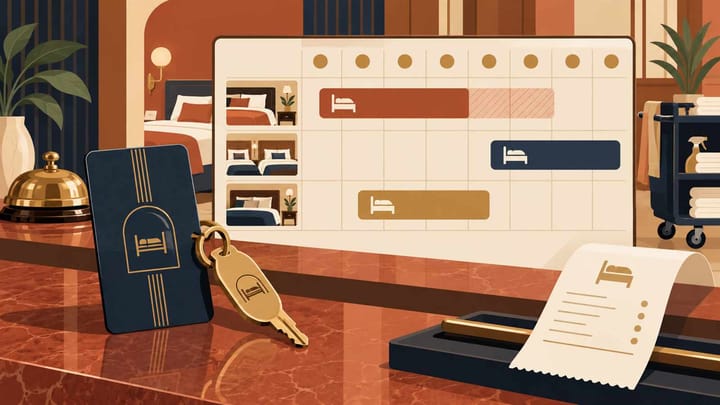
Inspect those added nights in the hotel reservation calendar. Include confirmed stays, protected allocations, maintenance blocks, and any unresolved extension another employee is handling.
Check two forms of availability. The room category may have stock for both nights, while the guest's assigned room belongs to tomorrow's arrival. Conversely, the physical room may look vacant later while its category has no approved sellable capacity.
If staying in the same room is impossible, explain the required move and agree a supported split assignment before accepting the extension. Do not displace another confirmed guest or silently turn a two-night extension into a promise of the same room.
A date change becomes risky when it is treated as a note rather than an inventory commitment. Smart Order's front desk workflow brings the reservation and room calendar together. After the approved change, reception can reopen that stay and inspect the added occupancy against other bookings instead of relying on a verbal promise.
Check the Extra Nights Against the Existing Calendar
Review the original stay and future room commitments before confirming an extension, then verify the saved dates and assignment together.
Agree the New Nights, Price, and Payment Arrangement
Quote the actual extension dates, room arrangement, nightly rates, inclusions, taxes or fees, and payment timing. Added nights may have a different approved price from the original stay. A past promotional rate does not automatically apply to an extension.
Read any rate-recalculation prompt carefully. Confirm whether the system is repricing only the added nights or the entire reservation. Preserve already agreed or posted amounts unless an authorized adjustment is intended.
For example, two extra nights at a hypothetical USD 120 each add USD 240 before any applicable extra charges. If the original room bill was USD 200, with no other adjustments, the revised room total is USD 440. A USD 200 payment already recorded remains USD 200; it is not a second credit for the extension.
Check the saved hotel payment record before requesting money. An additional amount due, an approved credit arrangement, and a pending payment attempt need different follow-up. Extending the dates does not authorize an extra charge to a stored card by itself.
For an online travel agency, or OTA, booking, decide how the added nights will be contracted. Use the channel's permitted amendment route when extending that booking. A PMS edit alone does not prove the OTA changed its dates, collection instructions, or virtual-card amount.
If the hotel arranges a genuinely separate additional stay, document the agreement and follow the applicable channel terms. Link the records operationally and ensure their occupied nights do not overlap. Do not use a second booking merely to bypass a failed amendment.
Save the Authorized Change and Verify Inventory Once
Follow the route agreed for this reservation. That may be an amendment from the OTA flowing into the PMS, or an authorized extension of a direct or hotel-managed booking. Avoid having two employees make both versions independently.
- Open the original stay by its booking reference. Confirm the guest, current status, old departure, room type, assignment, and existing payment position.
- Recheck the added nights immediately before committing. Availability may have changed while the guest considered the quote.
- Enter the approved departure and any necessary assignment changes through the supported workflow. Review nightly prices and warnings before saving.
- Complete the change once. Reopen the reservation and verify the new departure, additional nights, agreed total, and retained payment history.
- Check the calendar and sellable inventory for each added night, then verify the connected sales-channel position through the normal update process.
A successful one-room extension should create one room-night commitment on each added night. Do not manually deduct another room from the PMS and OTA calendars after the reservation already consumed that stock.
For the 12–14 November extension, inspect the nights of the 12th and 13th individually. With otherwise unchanged commitments, each now has one fewer room of available capacity. The new checkout date of the 14th is not another occupied night.
If a manual protection hold was used while approval was pending, confirm that the completed reservation now protects the stay before removing the temporary hold. Otherwise the hotel can either expose the nights briefly or retain a double block.
Use the hotel channel manager to review the resulting channel availability. Check the delivered position, not only a note that someone extended the stay. Do not repeatedly resend an amendment or create another reservation when the existing update is still unresolved.
Finish the Extension in the Rooms, Not Only on Screen
Tell housekeeping that the old departure is now a stayover. Review cleaning and linen service for the added nights, and move the departure-cleaning task to the actual new checkout date. Do not cancel all service simply because the guest is staying longer.
Check room access through the hotel's lock procedure. A changed reservation date does not prove a physical key or digital access code remains valid until the new departure. Test or verify the authorized extension of access without putting codes into general shift notes.
Give the guest written confirmation of the new dates, price, room arrangement, payment position, and any outstanding step. Reception's departure list should now reflect the changed stay, and the assigned room must not also be promised to a conflicting arrival.
If the Added Nights Are Sold Out
Offer only an alternative the hotel can genuinely deliver, such as another room category or a shorter extension. A manager's approval cannot create an extra physical room.
Keep the original departure unless an extension has actually been accepted and recorded. Do not remove another reservation, release a maintenance block, or override capacity just to make the request save.
If Checkout Has Already Been Completed
Stop before editing the historical stay as though the guest never left. Use the property's supported post-checkout correction, reinstatement, or new-stay procedure with the required approval.
Preserve the earlier payment and billing history. A new room commitment must still be checked for the added nights, even when the guest has not physically left the lobby.
An extension is complete when the guest has the agreed extra nights, the hotel has protected them once, and reception, finance, housekeeping, and channel inventory all reflect that decision.
