1. Search for an existing reservation before treating an arrival as a walk-in.
2. Check the entire stay and a ready physical room, not only tonight's headline availability.
3. Record the reservation and payment once, then verify the resulting inventory rather than deducting another room manually.
A walk-in guest is ready to buy now. That is exactly when a busy front desk can promise a room too quickly, collect against the wrong record, or leave the last room selling online.
A hotel reservation system should turn that conversation into one reliable stay. The practical sequence is to verify the guest has not already booked, confirm a room the hotel can deliver, record the agreement, and check what changed.
Check the Guest and the Whole Stay Before Quoting
Ask whether anyone in the party has already booked online, by phone, or through a company. Search the reservation list using the available confirmation reference and guest details. A missing email on the guest's phone does not prove the hotel has no booking.
If an existing reservation is found, handle that arrival rather than creating a second stay. If the guest says an online payment or booking is still processing, investigate that attempt before accepting a replacement that could arrive later as a duplicate.
For a genuine walk-in, confirm dates, adults, children where relevant, room requirements, and arrival needs. Check every occupied night against existing bookings, maintenance restrictions, protected allocations, and other reception work in progress.
Then verify a physical room is ready. An available room category does not mean the assigned room has been cleaned and released. Likewise, a clean room may already be committed to another guest tomorrow.
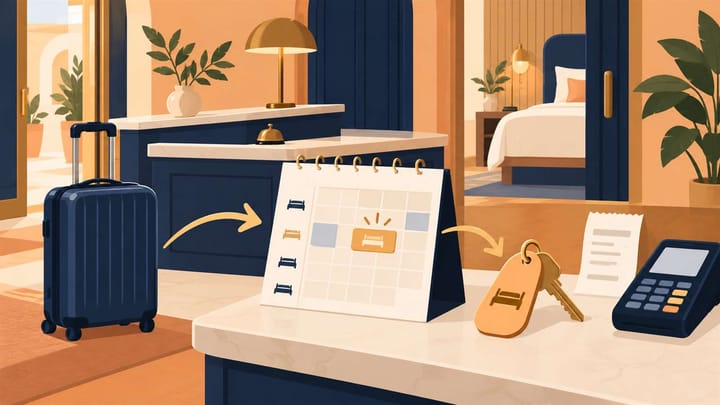
When the conversation turns into a room commitment, keep it on the front desk reservation calendar, not in a notebook beside the terminal. Smart Order supports manual walk-in reservations in the same calendar as connected bookings. Reception can inspect the new stay against existing arrivals before issuing access.
Put the Walk-In Into the Same Operating Calendar
Record the guest's agreed stay alongside existing reservations so the room commitment is visible before the next employee sells it again.
Complete the Hotel Reservation System Walk-In Workflow
Agree the room, occupied nights, total price, inclusions, cancellation terms, and payment requirements before committing. Explain any deposit or separate amount due at the property. Use the hotel's approved walk-in rate rather than borrowing a restricted online promotion without permission.
- Protect the intended room nights. Use the supported reservation or temporary-hold process while completing the booking. Confirm which status actually reserves stock; a quote or unsaved form may not.
- Create the correct reservation. Enter the property, dates, room category, guest count, and booking source. Search for an existing guest profile before creating one, while keeping this new stay distinct from earlier visits.
- Assign a deliverable room. Check readiness and its commitments throughout the stay. Record any agreed room move instead of promising uninterrupted use of a room that is unavailable later.
- Verify the payment result. Use the approved collection method and retain the transaction reference, amount, currency, and result. A requested payment or card hold is not automatically a completed collection.
- Save and review the stay. Confirm the booking reference, dates, agreed charges, payment credit, and any remaining balance. Do not create another reservation because a confirmation page was slow.
- Complete registration and check-in. Follow the hotel's applicable identity and registration requirements. Issue room access only after readiness and payment or approved credit conditions are satisfied.
Some systems combine several actions in one walk-in screen. Others separate booking, payment, room assignment, and check-in. Follow the supported sequence without assuming that selecting a payment method collected money or that saving a reservation checked the guest in.
Use integrated hotel payment records to check an uncertain collection before trying again. If the guest paid USD 100 against a hypothetical USD 180 stay, the remaining amount is USD 80, assuming no other charges or credits. Record the actual USD 100 once; do not mark the whole stay paid simply because the deposit was accepted.
Verify One Inventory Consequence Across Connected Channels
Consider a hypothetical one-room walk-in arriving 18 November and leaving 20 November. The stay uses the nights of the 18th and 19th. The checkout date of the 20th is not an additional occupied night.
Once that reservation is committed, inspect both occupied nights. With other commitments unchanged, each should have one additional room committed. Check the correct category, particularly if an upgrade or split assignment was agreed.
The hotel channel manager distributes the resulting availability to connected online travel agencies, or OTAs. Verify the source inventory and visible update result, then inspect the affected channel position when the remaining stock is tight.
Do not deduct the same room again in each OTA calendar after the reservation already reduced the shared inventory. That can hide another available room from sale. If a temporary hold also remains, confirm the saved reservation protects the stay before removing the duplicate protection.
A channel update does not reserve extra physical capacity. If another confirmed booking appears during the walk-in process, recheck commitments immediately and involve the manager. Do not erase that booking because reception has already started collecting from the walk-in.
Handle the Last Room and Unfinished Arrivals Deliberately
The Last Sellable Room Is Still Visible Online
Follow the hotel's last-room control procedure. Confirm the walk-in is committed in the normal inventory source and check that connected channels received the updated stock.
If online sales remain exposed, use the approved temporary protection and escalation route. Record the exact room, dates, and action. Reconcile that temporary control afterward instead of leaving competing manual values behind.
The Payment Is Unclear or the Guest Changes Their Mind
Keep a pending attempt separate from a failed or successful one. Finance or the authorized employee should verify the original result before a second collection or refund.
If the walk-in does not proceed, release the temporary hold or cancel the new reservation through the correct procedure after checking its true status. Do not delete a receipt or cancel an unrelated online booking to tidy the screen.
The Guest Arrives After Midnight
Check the property's business date and the intended occupied night. An arrival shortly after midnight can be seeking the previous evening's overnight stay, not a room starting at the next normal afternoon check-in.
Follow the hotel's late-arrival procedure and quote the correct departure time. Do not backdate a reservation by guesswork or charge two nights because the calendar date changed.
Before ending the transaction, confirm that the guest has one identifiable reservation, the right room and access, a clear payment position, and the agreed departure. The walk-in is complete when the hotel can trace both the money and the occupied nights without a second employee having to reconstruct the conversation.
