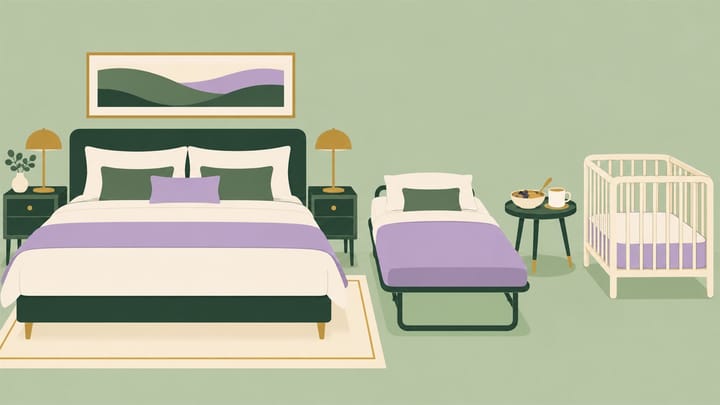
1. Accepting children does not automatically mean they stay free, receive breakfast, or qualify for an extra bed.
2. Check existing-bed rules, cribs, extra beds, and breakfast separately for each affected room type.
3. Verify the guest-facing offer with children's actual ages, then make sure reception can honor the confirmed arrangement.
“Children welcome” is not enough information for a family booking. Parents also need to know who can share the existing bed, whether another bed is available, what breakfast includes, and which charges remain due at the hotel.
Use this Trip.com Extranet policy review to make those promises consistent. It concerns the rules families are offered, not simply whether your PMS room is linked to the correct Trip.com product. A correct room link can still sell an unclear or unsuitable family stay.
Start With the Family's Actual Offer
Take a hypothetical booking for two adults and one six-year-old in a room that permits this guest party. Your approved offer allows the child to share existing bedding free, includes two breakfasts, and offers a paid extra bed only on confirmed request.
The correct promise is not “the child gets everything free.” It is a stay using existing bedding, with a separate breakfast question and no extra bed guaranteed unless confirmed.
Check the room details, selected offer, child policy, and final breakdown for that same family. If one section says extra beds are unavailable while another invites a paid request, resolve the contradiction before accepting more bookings on those terms.
After booking, the front desk reservation record should help staff identify the booked room and guest party. In Smart Order, review the received reservation alongside the confirmed meal and bedding arrangements. Keep any missing arrangement in an authorized operational note and verify it against Trip.com; do not assume every policy detail transfers automatically.
Make the Family's Confirmed Arrangement Easy to Follow
Keep the reservation and front desk workflow together so the arriving guest party can be checked against the room and services your team has agreed to provide.
Review the Family Offer as Four Separate Promises
Start with one room category and its actual sleeping arrangements. Open the relevant property and room policy settings in eBooking, Trip.com's hotel management platform. Available fields and labels vary by property and account; inspect your saved records rather than assuming every hotel has the same menu.
Who Can Stay in This Room?
Check whether children are accepted, the permitted adult and child numbers, and the room's total capacity. Keep legal and physical limits separate from price discounts. A child staying free still occupies space and may count toward the room's applicable guest limit.
Do not infer family capacity from the room name or a photograph. A double bed does not automatically make a room suitable for two adults and two children. Where the room has its own restrictions, do not rely only on the property's general welcome policy.
What Does Using Existing Beds Mean?
Record the relevant child age bands and whether sharing the room's existing bedding is free or charged. Define the age boundaries clearly enough that staff do not disagree about a child who has just reached the next band.
For example, if your approved rule makes existing-bed stays free through age 5, test age 5 and age 6 separately. This is a hypothetical boundary, not a Trip.com default. Use the ages requested for the actual stay and check the quoted result.
“Free using existing beds” does not promise another mattress, cot, or breakfast. Keep those entitlements explicit rather than letting reception interpret them at arrival.
Is a Crib or Extra Bed Actually Available?
A crib and a rollaway bed are different services. Confirm which rooms can accommodate each, eligible ages, maximum numbers, charge basis, and the physical stock available for the dates.
Check whether the offer guarantees the arrangement or requires a request and confirmation. For a request-based service, tell the guest when it has actually been accepted. Do not treat a preference note as a reserved extra bed. If the booked offer already guarantees it, arrange delivery rather than asking the guest to request it again.
How Is Breakfast Charged?
Review the selected rate plan's meal entitlement separately from the child accommodation policy. “Breakfast for two” does not necessarily include breakfast for two adults and their child.
Check any applicable child breakfast bands and additional charge. Where breakfast eligibility uses a different basis from room pricing, make that clear. Also verify whether the charge is in the booked total or payable separately at the hotel.
Correct the Policy, Then Check What a Guest Can Buy
- Approve the intended rule for the affected room: permitted guests, age boundaries, existing beds, cribs, extra beds, and meal inclusions. Do not change room capacity just to make a family search return a result.
- Review property defaults and room-specific settings in eBooking. Correct contradictory values through the supported account controls or have the responsible Trip.com contact resolve a field your team cannot edit.
- Check the connected rate setup. Ordinary rate and availability synchronization does not prove that every child, bedding, or breakfast policy has also changed. Identify which details belong to the channel's policy settings.
- Save and reopen the relevant records. Search the same room, dates, and offer with children's ages on each side of any changed boundary.
- Repeat for a room with different bedding permissions, if applicable. Confirm that a smaller room has not inherited a larger room's extra-bed promise.
- Read through to the final breakdown and booking conditions. Retain the result showing included services, additional charges, payment timing, and any confirmation requirement.
Use the channel manager's rate and availability controls for the connected values they manage. If rooms and prices are synchronized from the PMS, inspect the resulting Trip.com offer after the update rather than assuming synchronized availability validates the family policy. For this audit, the acceptance test is the offer a family can book.
Resolve Existing Family Bookings Before Arrival
Changing a setting today does not change what an earlier booking promised. Keep the confirmation and any accepted amendments as the starting point for that guest.
If the room lacks space for a confirmed extra bed, have the responsible manager review a suitable resolution with the guest and Trip.com. Do not remove the service from a note and leave reception to explain it at check-in. If the issue is an unconfirmed request rather than a guaranteed service, explain the actual availability and alternatives clearly.
For a disputed child or breakfast charge, compare the selected offer and price breakdown before requesting payment. Collect an additional amount only when the applicable terms support it and it has not already been paid.
Close the review when the public room details, the purchasable family offer, and the arrival team's instructions describe the same stay. That is a more useful result than a completed policy form that nobody has tested from the guest's side.
